
Localization
Both Cuesta and Manatee store their localized strings in Kwanza and you can use Cuesta to edit these in a simple table view.
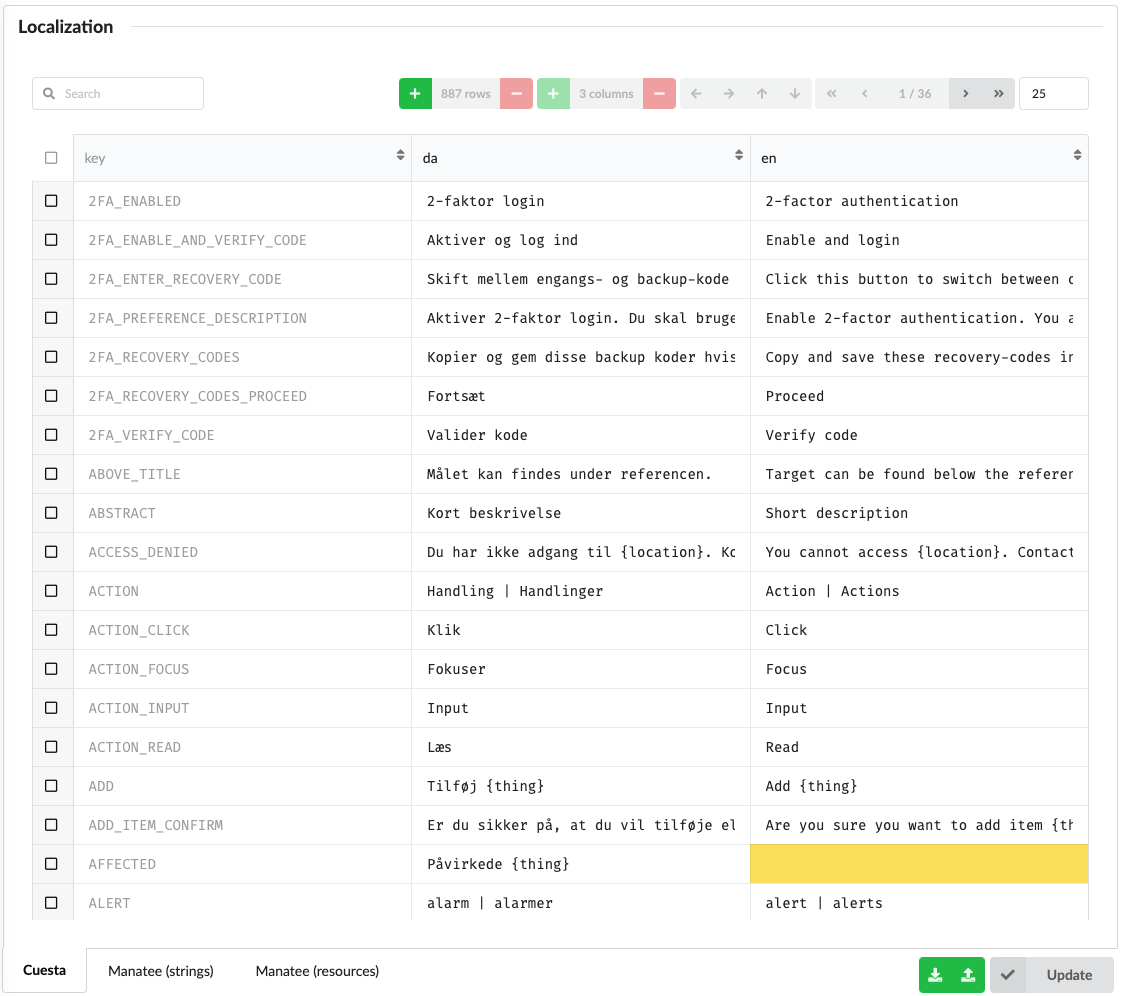
Each column represents the strings (or resources) for a given language and each row is then the translations for a given key. So if you want to change the text for the Danish translation of ACTION_CLICK you need to find the row and then edit the cell in the da column. Cells with a yellow background indicates that a translation is missing for that language.
Resources are base64 encoded binary blobs. Most resources are images, icons etc used in Manatee.
You can also download the localized strings/resources as a csv file, edit by hand or import into e.g. Excel and edit, then re-upload the edited version. Uploading works either through the upload button or by dropping the csv file straight onto the table.
The Cuesta table additionally has a reset to default locales button, which discards what is stored in Kwanza and puts back the translations Cuesta shipped with.