
Desktops
In many unattended automation scenarios it is necessary to have a remote desktop available to run Manatee in. The functionality to ensure that a desktop is available needs configuration in Cuesta as described here also relies on the pistia software component which is the service that reads the configured desktops and logins and maintains the actual connections. Pistia (aka the agent) can be run in two modes:
- GLOBAL where it will try to connect using all logins across all desktops except those configured for a local agent
- LOCAL will only connect using the logins for a single desktop, the desktop that has the same “machine” name as where the local pistia agent runs
Each desktop represents machine/desktop that you can log into. A desktop may have multiple logins (multiple users) connected at the same time.
For a local agent you need to provide the machine on which the agent runs. This will make it possible for the agent to pick up the logins and maintain connections using these. You can also specify a default host address and port or configure these for logins individually.
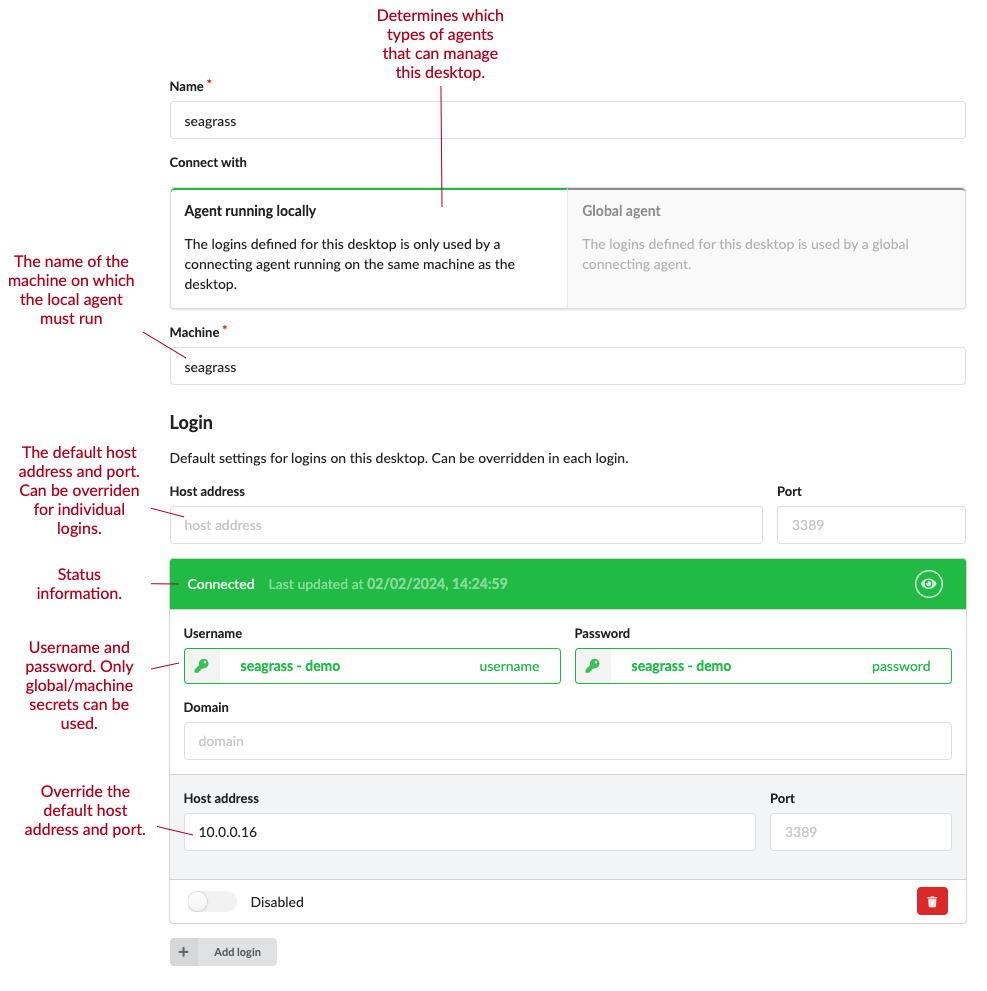
Each login needs a username and a password and optionally domain, host address and port. The password must come from a secret; the username may either come from a secret or be typed in as plain text, using the toggle at the right of the field.
The secret picker on a login only offers global secrets and machine only secrets whose machine is the login’s host. User-only and shared-password secrets never appear there, because the agent has no way to decrypt them when it connects.
Individual logins can be switched off with the disabled toggle at the bottom of the login. A disabled login is greyed out and the agent leaves it alone.
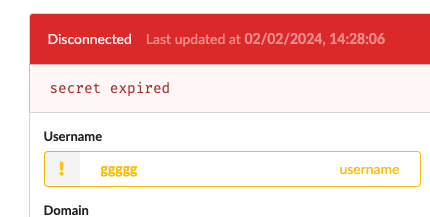
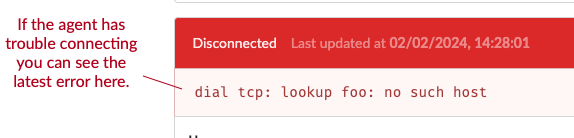
Once created an agent (pistia) will use the logins to connect to the desktop and report any errors or successes back.
Example setups
A typical setup would either be to have only local agents and a pistia agent service instance running on all servers where you need to login to one or more accounts or a single global pistia agent that connects to all desktops.
Local only agents
For the first case you want to create a number of local desktops, each corresponding to a server where you want to login to one or more accounts. You then create logins for each desktop and configure the logins with the necessary credentials.
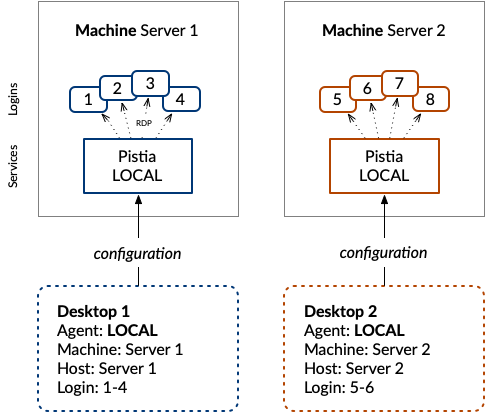
The local pistia agent should then be run with the --machine-only flag which will trigger it to only connect to the desktops with the same machine name as the machine where the agent runs. By default that is the host’s own hostname; pass --machine <name> to use a different one.
The machine you type into Cuesta must match that hostname either exactly or in its all-lowercase form. A mixed-case name that does not match the host’s own capitalisation will look like an agent that has connected fine but has nothing to do.
A single global agent
The second common scenario is where we have a single pistia agent running on a server that connects to all desktops. In this case you need to create a one or more global desktops and add logins to them.
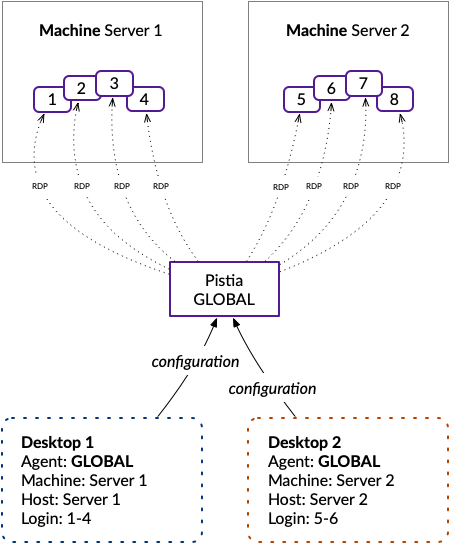
You can also build combinations of a single global agent and a number of local agents. In this case you need to create a global desktop and a number of local desktops and configure the logins accordingly. You should not run multiple global agents as they will pick the same logins and cause each other to disconnect/reconnect all the time.