
Keyboard shortcuts
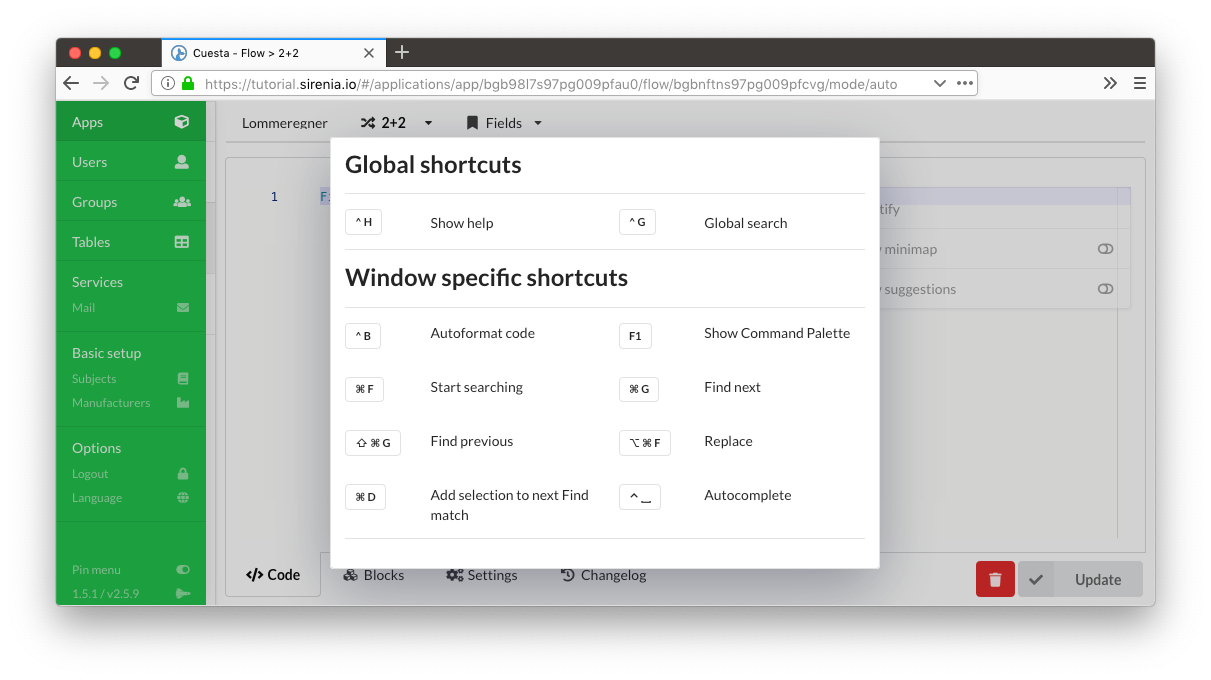
Keyboard shortcuts are available throughout Cuesta. On any screen you can hit the ctrl+h keyboard shortcut to show a window with applicable shortcut keys for this particular screen.
Global search
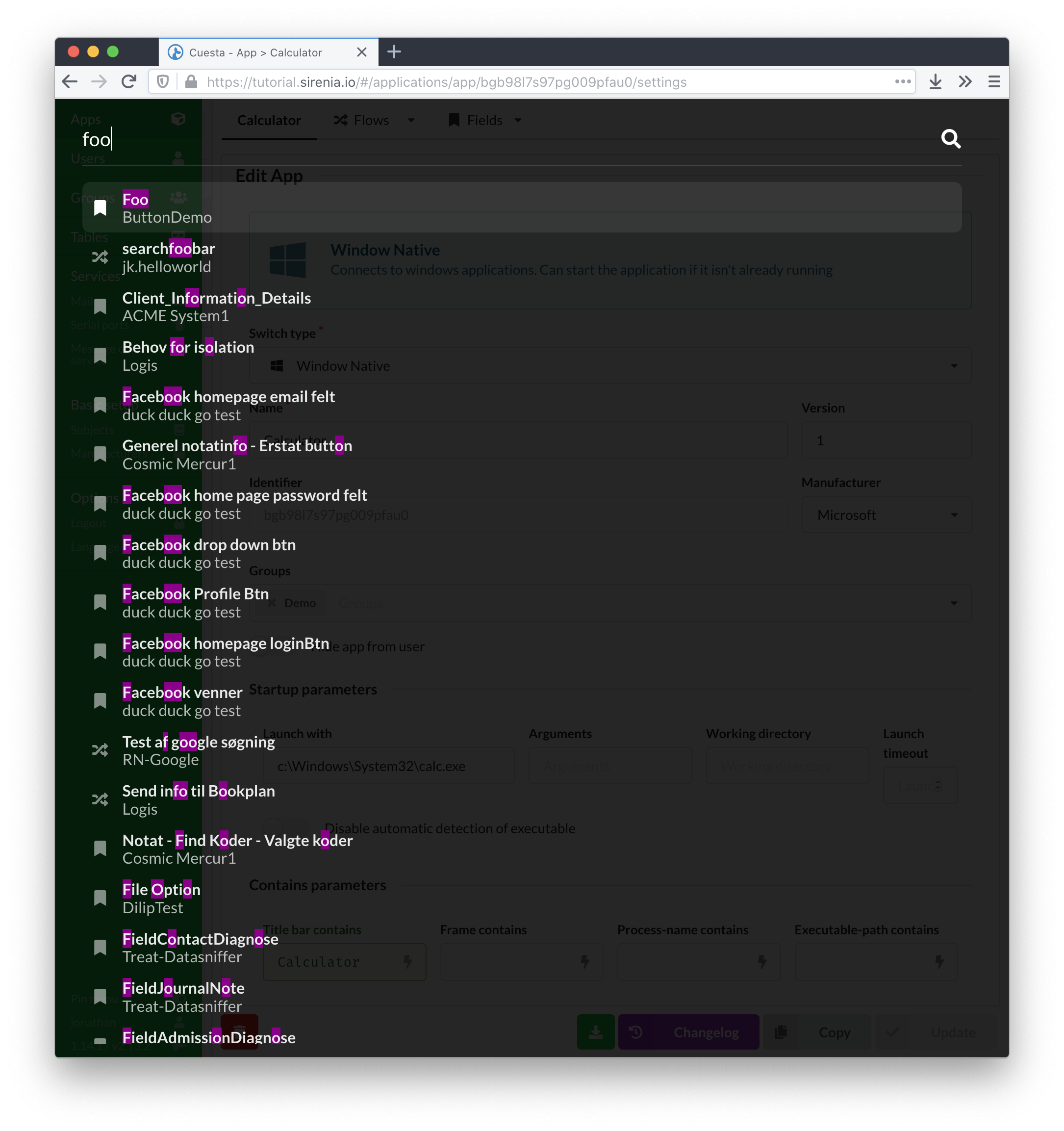
Tap shift twice in quick succession on any screen to bring up the global search feature - ctrl+shift+space (cmd+shift+space on a Mac) does the same. Then begin typing. This functionality lets you quickly jump to a group, application, flow etc. as long as you type all or part of its name.
Saving
ctrl+s saves the item you are editing, wherever you are. ctrl+enter does the same, as do cmd+s and cmd+enter on a Mac.